QR Code Reader
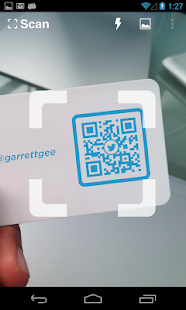
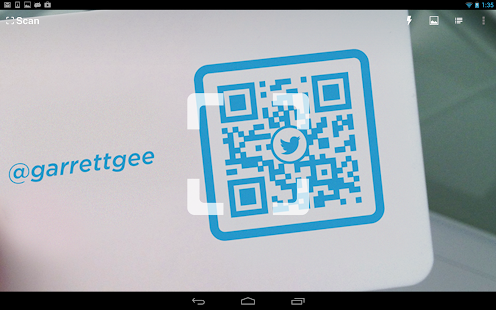
There is no need to take a photo or press a button.
The app will automatically recognize any code your camera is pointing at.
When scanning a QR code, if the code contains a website URL, you will automatically be taken to the site.
If the code just contains text, you'll immediately see it.
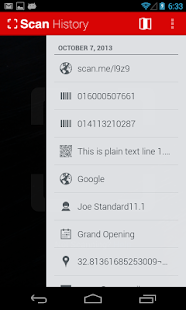
For other formats such as phone numbers, email addresses, or contact info, you will be prompted to take the appropriate action.
PRODUCT BARCODES
QR Code Reader recognizes all of the popular barcode types (UPC, EAN, and ISBN) and shows you pricing, reviews, and more about any products you scan.
Barcode scanning requires a newer device in order to work reliably.
Cameras on older devices do not provide the resolution or focus required for barcode scanning.
ADDITIONAL FEATURES
• Toggle your front or rear camera for scanning• A switch to turn on your device’s light (if it has one) for scanning in low-light circumstances
DEDICATED TO PERFECTION
Our goal is to make our app the best scanning app in the store.
We can’t do this without you.
We are dedicated to your satisfaction and need to hear feedback from you.
If you have an issue with the app, please do not write a review of the app saying "it didn't work." This does not help us make things better for you.
Instead, please contact us at [email protected] and we'll do our best to help.
REQUIREMENTS
In order to use the app, your device must have a built-in camera.
When scanning codes that redirect to online content, such as websites, you will need Internet connectivity.
About QR Code Reader
- Package name (App ID)
- me.scan.android.client
- Available on
- Google Play
- Price
- Free
- Version
- v2.2.4
- Developer
- Gamma Play .com
Looking for the QR Code Reader APK?
The safest way to get QR Code Reader (me.scan.android.client) on your Android device is to install it directly from Google Play — you'll always get the latest official version, automatic updates, and no risk of modified or infected APK files from third-party sites.
Social Features
Connect and share with friends and the community.
Camera Features
Advanced camera features with editing capabilities.
Productivity Tools
Boost your productivity with powerful tools and features.
See QR Code Reader in Action
Frequently Asked Questions
Is QR Code Reader free?
Yes, QR Code Reader is free to download and install on Android through Google Play.
How do I install QR Code Reader on Android?
Open Google Play on your Android phone or tablet, search for QR Code Reader by Gamma Play .com or tap the Google Play button on this page, then tap Install. The app downloads and installs automatically.
What is me.scan.android.client?
me.scan.android.client is the App ID (package name) of QR Code Reader on Google Play. Every Android app has a unique package name, and it is the safest way to verify you are installing the official app.
Is QR Code Reader safe to download?
Installing QR Code Reader from Google Play is the safest option: you get the official version published by Gamma Play .com, verified by Google Play Protect, with automatic updates. Avoid APK files from unofficial third-party sites.
Get QR Code Reader Today
QR Code Reader for Android — free download on Google Play.
Compatible with Android phones and tablets — available on Google Play.
Ask AI about this app
Get instant answers about features, tips and more from popular AI assistants.